
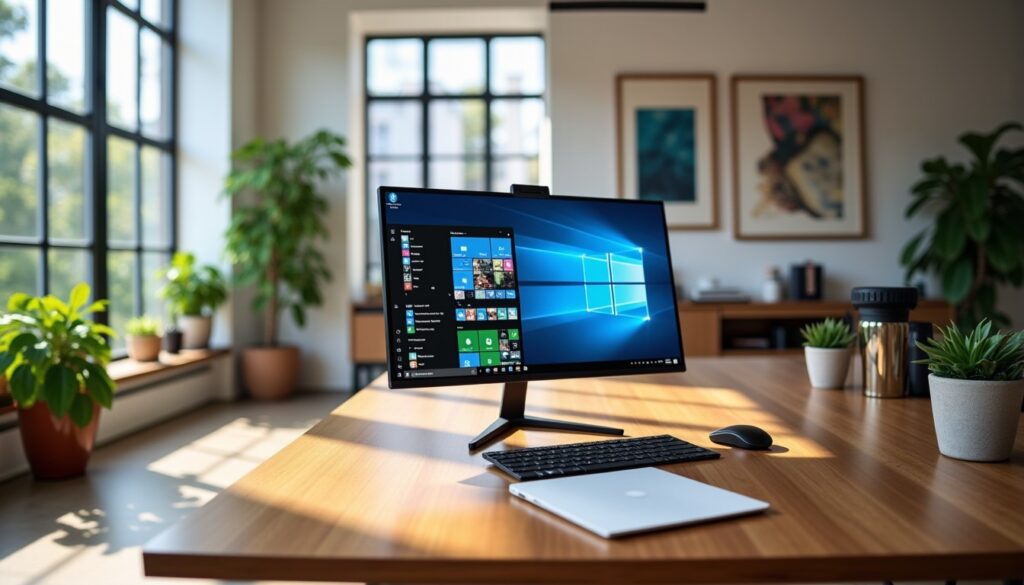
Present on the majority of personal computers around the world, Windows has established itself over several decades as an essential cornerstone of the IT landscape. Developed by Microsoft, this operating system is much more than a simple working environment: it is the interface that connects the user to their hardware, allowing them to perform a multitude of tasks, from the simplest to the most complex. Whether for file management, entertainment, programming, or multimedia creation, Windows offers a complete range of features suited to all profiles.
As we move forward into the digital era of 2026, Windows continues to evolve by integrating new technologies, notably artificial intelligence, to optimize the user experience and ensure security and performance. Yet, its history is marked by major revolutions that have shaped modern computing and influenced the way individuals interact with their computers. This comprehensive guide offers you an in-depth overview of Windows, detailing its evolution, current features, advancements in security, and the reasons why it remains the preferred choice of millions of users worldwide.
- 1 Windows, a graphical operating system at the heart of personal computing
- 2 Continuous innovation through the different versions of Windows
- 2.1 Humble beginnings to a powerful architecture with Windows 3.x
- 2.2 Windows 95: the revolution of user comfort
- 2.3 XP, Vista, and Windows 7: between stability and the drive for security
- 2.4 The touch challenges with Windows 8 then regained maturity with Windows 10
- 2.5 Windows 11: a modernized user experience integrating artificial intelligence
- 3 Key features that distinguish Windows in the IT landscape
- 4 Performance and stability: how Windows optimizes its resources for smooth use
- 5 Windows and IT security: a major challenge for users
- 6 Installation, configuration, and troubleshooting to fully master Windows
- 7 Market shares and Windows’ position in the global market
- 8 Windows 11 and artificial intelligence: towards a new digital revolution
Windows, a graphical operating system at the heart of personal computing
Windows is above all an operating system based on a graphical user interface (GUI) that facilitates interaction between the user and the machine. Developed by Microsoft, founded by Bill Gates and Paul Allen in 1975, it quickly imposed itself as the standard in the field of personal computers. Windows’ primary interest lies in its ability to manage hardware and software resources in a coherent manner while offering an intuitive visual interface.
Over the years, Windows has adapted to various architectures, including ARM, ARM-64, x86-64, and IA-32, thus covering a very wide range of devices from classic PCs to tablets and even some connected objects. This flexibility partly explains its dominance: in 2026, nearly 72% of the market share of operating systems for personal computers belongs to it, a figure that illustrates its omnipresence.
Besides traditional file and software management, Windows also allows playing video games, watching videos, connecting to the Internet, synchronizing data via the cloud, and much more. The user interface, constantly evolving, aims to offer smooth navigation and ergonomics suited to an ever-wider audience, ranging from beginners to IT professionals.
This global vision of a graphical operating system contributes to making the computer much more powerful and accessible. Upon session opening, the user is greeted by the desktop, a main workspace where they can view files, folders, and applications, benefiting from quick access via the taskbar and the Start menu, elements now emblematic of Windows.
Continuous innovation through the different versions of Windows
Windows has experienced rapid evolution since its first version in 1985, initially designed as a graphical extension of MS-DOS. Each new release brought its share of innovations that redefined how computers are used.
Humble beginnings to a powerful architecture with Windows 3.x
Released in 1990, Windows 3.0 marked a major milestone. This system exploited the advanced capabilities of Intel 80286 and 80386 processors, offering a revamped interface and practical applications like Notepad and Paintbrush. These improvements significantly enhanced usability and productivity, paving the way for subsequent versions.
Windows 95: the revolution of user comfort
In 1995, Windows 95 greatly changed the user experience thanks to the transition to a 32-bit architecture. This version introduced now-iconic innovations such as the taskbar and the Start menu, making navigation more intuitive. The integration of “plug-and-play” features simplified the connection of new peripherals, a genuine step towards accessibility for all.
XP, Vista, and Windows 7: between stability and the drive for security
The launch of Windows XP in 2001, the result of a merger of several development lines, offered a more pleasant interface and optimized resource management. Followed by Vista in 2006, which emphasized security, although criticized for its demanding performance, Microsoft corrected the course in 2009 with Windows 7. The latter enjoyed tremendous success thanks to its stability, refined interface, and broad compatibility.
The touch challenges with Windows 8 then regained maturity with Windows 10
Windows 8, released in 2012, aimed to reclaim a rapidly growing mobile market with an interface adapted to touch screens. Despite innovations like the dynamic start screen, this version divided users, some reproaching the disappearance of the traditional Start menu. Microsoft corrected this direction in Windows 10, launched in 2015, which successfully combined modernity and familiar references, including Cortana and a more efficient browser, Microsoft Edge.
Windows 11: a modernized user experience integrating artificial intelligence
The latest version to date, Windows 11, officially launched in 2021, embodies Microsoft’s new direction with a cleaner, centered, and smooth interface. With its rounded design, subtle transparency, and redesigned Start menu, the focus is on simplicity and ergonomics.
The seamless integration of generative artificial intelligence via Microsoft Copilot also revolutionizes how one interacts with the computer. This intelligent tool assists users in managing a variety of tasks, from document writing to system configuration. This feature enhances performance optimization by anticipating needs, fostering a frictionless experience.
Key features that distinguish Windows in the IT landscape
Windows is not just an operating system: it is a rich ecosystem of features designed to improve productivity, security, and resource management. This OS thus offers a panel of integrated tools that make users’ digital lives easier on a daily basis.
Simplified management of files and applications
The system offers a powerful file explorer to organize, move, copy, or delete documents. The user interface via the Windows Explorer makes these operations simple and visual, with the ability to display files according to different criteria, perform quick searches, and even restore deleted items from the recycle bin.
Application management is just as intuitive. The Start menu or integrated search allows launching programs quickly. Shortcuts can also be configured on the desktop for direct access, a crucial time saver in a professional context.
System optimization and maintenance tools
Windows includes solutions to keep the computer performant and secure. Among these are troubleshooting tools to solve common problems, automatic updates to always benefit from the latest patches, and advanced options to manage startup, background applications, and memory.
Enhanced security measures
The evolution of cyber threats demands increased vigilance. Windows has thus integrated robust components such as Windows Defender, a powerful antivirus suite, advanced firewalls, as well as mechanisms to control administrative access and ensure the protection of personal data.
Compatibility with a wide range of hardware and software
One of Windows’ major strengths lies in its ability to operate on a multitude of hardware configurations, whether recent computers or older systems. This broad compatibility optimizes users’ hardware investment and facilitates transitions between different generations of devices.
Performance and stability: how Windows optimizes its resources for smooth use
Performance is a crucial point for any operating system, and Windows stands out notably through its adaptive approach to hardware and software constraints. Its scalable architecture was designed to make the best use of resources, whether processor, RAM, or disk space.
For example, Windows 11 benefits from intelligent mechanisms that efficiently manage multitasking thanks to features like Snap Layouts and Snap Groups that facilitate window organization. This allows users to work simultaneously on several applications without noticeable slowdown.
Microsoft also optimized the update system to limit interruptions and accelerate post-installation configuration. These updates include not only security patches but also system improvements aimed at preserving stability and responsiveness.
Advanced memory and processor resource management
Windows integrates sophisticated algorithms to optimize memory allocation and CPU usage. For example, the system prioritizes active applications, reducing the consumption of background processes, which contributes to better battery life on portable machines and a smoother experience.
A high-performance file system
The Windows Explorer uses a scalable and secure file system that allows quick access to documents and efficient storage management, even for very large volumes. Native support for formats such as NTFS guarantees security, fast access, and management of user rights on files.
Example of a notable improvement: rapid deployment of updates
Updates are often perceived as cumbersome, but Windows 11 has greatly improved this process. Through an intelligent system, updates are downloaded in the background and applied upon restart, thus limiting downtime. This optimization avoids prolonged interruptions while ensuring the computer remains protected and performant.
Windows and IT security: a major challenge for users
At a time when cybersecurity means prevention and vigilance, Windows has fortified its defenses to protect users against a growing spectrum of threats. Attacks such as ransomware, malware, or phishing are constantly evolving, requiring an adapted and proactive response.
Windows Defender plays a central role here. It offers effective protection, regularly updated, capable of detecting and neutralizing many threats in real time. Moreover, the system allows users to configure customized firewall rules to control incoming and outgoing connections.
Furthermore, Microsoft continuously works on securing the user interface to avoid vulnerabilities. For example, multi-factor authentication is encouraged, and advanced encryption mechanisms protect personal and professional data.
Management of security updates
Regular updates are an essential component of Windows’ security strategy. The gradual end of support for older versions such as Windows 7, 8.1, and soon Windows 10, forces users to migrate to more recent versions in order to remain protected.
Tips for strengthening security on Windows
- Ensure regular installation of system and software updates.
- Use complementary antivirus software when necessary, even though Windows Defender is performant.
- Activate multi-factor authentication, especially for Microsoft accounts.
- Avoid pirated software which may contain malware.
- Carefully configure firewalls and application permissions.
Installation, configuration, and troubleshooting to fully master Windows
Windows installation has been simplified over versions to offer an accessible experience while ensuring optimal configuration according to hardware.
The process generally begins with a phase of verifying hardware prerequisites, followed by choosing a version adapted to the user’s needs: Home, Professional, or Enterprise edition. Then, installation takes place via an installation disk, a bootable USB key, or a direct download from the Microsoft website.
Once installed, Windows guides users through the initial setup: user account settings, language selection, network connections, and privacy preferences. This step is essential to customize the operating system and ensure optimal security from the start.
In case of problems, the system also includes a native troubleshooting program capable of diagnosing and resolving a wide range of malfunctions related to hardware conflicts, software errors, or network issues. System restore or safe mode are options that allow returning to a stable state.
Tips for effective troubleshooting
- Use the automatic troubleshooting tool included in Windows to quickly detect problems.
- Consult the event log to identify specific errors.
- Reset the system while keeping personal files if necessary.
- In advanced cases, use restore points to revert to a stable previous state.
- As a last resort, reinstall Windows while ensuring important data is backed up.
Windows has maintained its dominant position in the ecosystem of operating systems for personal computers. Occupying nearly 69% of the global market at the beginning of the decade, it far surpasses its main competitors such as macOS and various Linux distributions.
This supremacy is justified by several factors: unmatched compatibility with varied hardware, a large catalog of available software, and continuous innovation that meets the expectations of professionals as well as individuals. Furthermore, the strong integration of Microsoft services such as Office, OneDrive, and Azure plays a key role in this anchoring.
It is interesting to note that Windows remains the reference system in the professional sector, particularly in corporate environments and government institutions, where security, large-scale deployment, and technical support are priorities.
| Operating system | Global market share (%) | Main segment | Key characteristic |
|---|---|---|---|
| Windows | 68.9 | Personal computers, enterprises | High compatibility, large software catalog |
| macOS | 17.5 | Apple computers, creators | Aesthetic interface, Apple ecosystem |
| Linux (all distributions) | 2.1 | Servers, advanced users | Open source software, extensive customization |
| Others (ChromeOS, BSD) | 11.5 | Education, light use | Lightweight, easy to use |
Windows 11 and artificial intelligence: towards a new digital revolution
The latest version of Windows initiates a major transformation with the implementation of integrated artificial intelligence systems that revolutionize the user experience. Microsoft Copilot, integrated into Windows 11, offers automated assistance capable of managing tasks via natural language commands, making system configuration and use more accessible.
Thanks to this integration, it is possible to generate document summaries, edit images, or adjust system settings without navigating complex menus. This evolution is particularly beneficial for improving productivity, simplifying learning, and reducing time spent on repetitive operations.
PCs equipped with the Copilot+ label benefit from specialized processors allowing these intensive calculations to be performed locally, ensuring optimal responsiveness without sacrificing navigation fluidity.
This extension of Windows towards artificial intelligence illustrates Microsoft’s ambition to make its operating system an intelligent environment capable of anticipating needs and offering a more personalized, intuitive, and secure experience. This undoubtedly foreshadows the evolution of operating systems in the coming years.




