
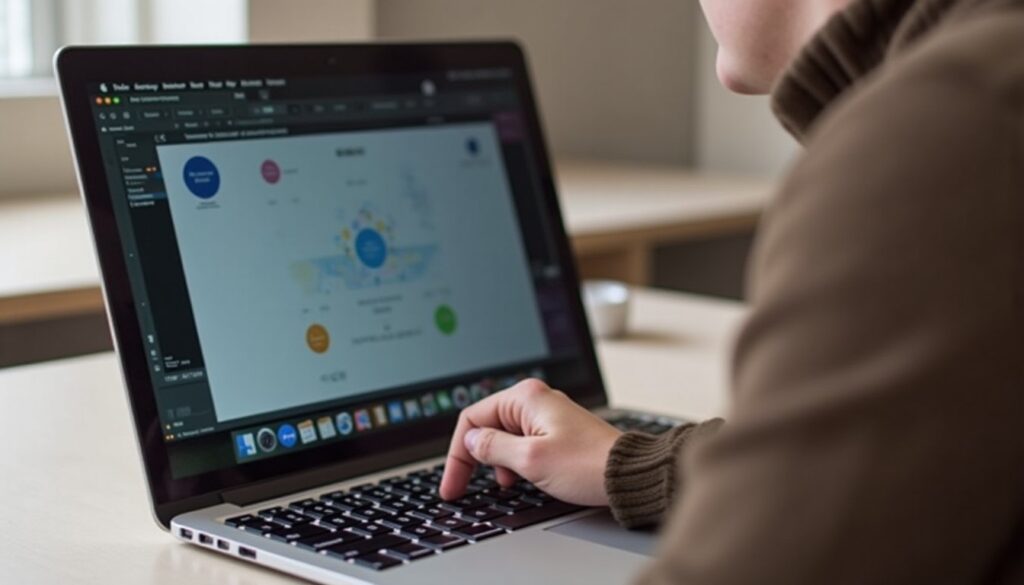
For several years, Apple users have dreamed of a MacBook equipped with a touchscreen, an innovation that could revolutionize the user experience of the brand’s laptops. However, Apple has long resisted this evolution, considering that the macOS interface was not suitable for finger interaction. But in 2026, the signs are piling up, especially with the appearance of macOS Golden Gate, which hints at a touchscreen MacBook in development. The landscape of Apple laptops could thus undergo a major transformation, combining refined design, OLED technologies, and a touchscreen interface designed to meet today’s users’ needs while respecting the brand’s DNA.
In this article, we will examine in detail the technological advances, Apple’s strategic reasons, the ergonomic challenges to be met, as well as the expectations and reactions of users faced with this possible revolution. We will also address the impact on the laptop market and how Apple might consider integrating a touchscreen interface without compromising the efficiency and smoothness that characterize its machines.
- 1 The reasons that long hindered the arrival of the touchscreen on MacBook
- 2 macOS Golden Gate: the first step towards a touchscreen interface on MacBook
- 3 Design and OLED technology at the heart of the future touchscreen MacBook
- 4 Ergonomic and software challenges to overcome for a successful touchscreen MacBook
- 5 Apple’s strategy to convince skeptical users
- 6 The potential impact of the touchscreen MacBook on the laptop market
- 7 User expectations and hopes regarding the touchscreen MacBook
- 8 Towards a new era for the touchscreen interface on Mac: potential and limits
The reasons that long hindered the arrival of the touchscreen on MacBook
Apple has remained faithful to its initial conviction: the touchscreen had no place on a traditional laptop. This position was based on several solid arguments that influenced the company’s design choices over the years.
Firstly, the very nature of macOS has always been designed for very precise control with a mouse or trackpad. The interface includes many small targets on the screen, drop-down menus, and very thin areas that require millimetric positioning, difficult to achieve with a finger. Thus, according to Apple, integrating a touchscreen without deeply rethinking the interface risked harming ergonomics and the overall user experience.
Secondly, the classic tilt of MacBook screens made tactile use impractical. Unlike an iPad held in hand, a laptop is placed on a desk, and stretching out the arm to touch a tilted screen can quickly become tiring, what ergonomists call the “gorilla arm” syndrome. These physical considerations were long a significant obstacle.
Finally, Apple favored a clear separation between the Mac universe and that of the iPad. The tablet with its iPadOS and the Mac with macOS evolved as two distinct experiences. Encouraging users to juggle between these two worlds was therefore a strategy to maintain the added value of these respective products, more than a simple technical constraint.
This position is, however, evolving, notably with the rise of Apple Silicon processors that facilitate a flexible user experience, as well as the growing expectations of users themselves, who are increasingly turning to more intuitive hybrid devices. The future therefore seems to be written with a touchscreen MacBook, but under what conditions?
macOS Golden Gate: the first step towards a touchscreen interface on MacBook
The release of macOS 27 Golden Gate marks a crucial stage in the evolution of the MacBook towards touch. Although Apple has not officially announced a touchscreen MacBook, the first betas of this system show significant innovations that could herald a future with a more intuitive finger interaction.
One key example of this transition is the update of Sidecar, the feature that allows using an iPad as a secondary display for a Mac. Historically, the iPad simply displayed macOS, with interactions always done via mouse or trackpad. With Golden Gate, the iPad truly becomes tactile for macOS: the user can touch, scroll, select, or zoom directly with fingers, reproducing familiar gestures from iOS.
This evolution is certainly not the launch of a touchscreen MacBook to market, but it constitutes an ideal testbed to prepare the integration of a touchscreen interface on laptops. By testing today with the iPad a more natural finger behavior, Apple is preparing its ecosystem to better handle the complexity of a touchscreen interface without sacrificing the classic functionalities of macOS.
More broadly, macOS Golden Gate also integrates touch gestures directly in native applications like Safari, Mail, and Calendar, with, for example, a swipe down to refresh content. These additions, widespread on mobile devices, show Apple’s willingness to bring the Mac and iPad worlds closer, without fully merging them.
These software improvements thus lay the foundations for a future touchscreen experience, creating an essential bridge between hardware and interface. It is an ambitious transformation, requiring fine-tuned compatibility management and visual adaptations so that the touchscreen MacBook is truly useful, without losing the efficiency that makes it successful.
Design and OLED technology at the heart of the future touchscreen MacBook
The rumor has been insisting for several months: the next tactile MacBook Pro could feature an OLED screen, a major breakthrough for Apple’s display technology. This transition to OLED would mean better contrasts, more vivid colors, and improved responsiveness suited for touch interaction.
Compared to traditional LCD panels, OLED offers several technical advantages particularly suited to a tactile use. On-cell touch technology, integrated directly into the display layer, allows for better gesture precision and a reduction in thickness, enabling thinner and lighter laptops. This redesigned form, combined with the power of Apple Silicon M6 Pro or M6 Max chips, would ensure remarkable graphic and energy performance.
In terms of aesthetics, Apple might also revise the classic shape of its MacBooks. Gone is the notch that sparked debate, replaced by a discreet punch-hole or a cutout inspired by the iPhone and iPad’s Dynamic Island. This change would reinforce design modernity while freeing up more useful screen space, essential for more comfortable tactile manipulation.
This OLED touchscreen MacBook, sometimes nicknamed MacBook Ultra by close sources, would also be calibrated to offer better brightness and unparalleled visual comfort for a laptop. The thin chassis, combined with a high-performance touchscreen, would provide a smooth, visual, and dynamic user experience.
Here is a comparative table between the expected features of the OLED touchscreen MacBook and previous generations:
| Features | Current MacBook Pro (LCD) | Touchscreen MacBook Pro (planned OLED) |
|---|---|---|
| Screen technology | LCD IPS | OLED on-cell touch |
| Resolution | 2880 x 1800 | 3200 x 2000 (estimated) |
| Thickness | About 16 mm | About 12 mm |
| Processor performance | M2 Pro / M2 Max | M6 Pro / M6 Max |
| Touchscreen | No | Yes (integrated) |
This technological leap of OLED touchscreen constitutes one of the keys to achieving an ergonomic and attractive touchscreen MacBook, while creating a true break with historical models.
Ergonomic and software challenges to overcome for a successful touchscreen MacBook
Integrating a touchscreen on a MacBook is not just about adding a capacitive layer. Apple has to overcome several major challenges to deliver a smooth and intuitive interface. macOS, originally designed for precise pointer interaction, needs a deep redesign to adapt to the vaguer and often imprecise touch gestures of fingers.
The main obstacle lies in the size and layout of interface elements. Many clickable areas, such as drop-down menus, buttons, and icons, are often too small for a finger, which obscures part of the screen when touching. A redesign that reviews margins, target size, and dynamic layout is therefore necessary to avoid a frustrating experience.
Another major challenge concerns the screen position. Touching a tilted screen on a laptop can quickly cause muscle fatigue. Users might prefer a new hybrid design allowing a more ergonomic tilt or alternative operating modes, like a separate or detachable screen.
To handle these issues, Apple could draw inspiration from methods used on iPadOS, which offers floating menus, touch shortcuts, and smart gesture management while retaining the complexity of a professional system. The new macOS Golden Gate gesture set already suggests this path, introducing swipes, zooms, and scrolls adapted to touch.
Here is a list of the main adjustments necessary for a successful touchscreen MacBook:
- Increasing the size of touch targets to facilitate accuracy
- Interface revision with intuitive gestures and quick touch response
- Option to adjust screen angle to reduce user fatigue
- Hybrid mode allowing switching between keyboard/mouse use and pure touch
- Optimization of main applications for touch (Safari, Mail, Calendar…)
- Integration of haptic feedback to compensate for the lack of physical sensation when touching
- Advanced support for fingerprint or face recognition for security
These adaptations are essential to transform a long-standing user dream into an ergonomic and pleasant daily reality. Apple knows that the success of this innovation will largely depend on the quality of software integration, expertise that was missing in past attempts on other platforms.
Apple’s strategy to convince skeptical users
Apple often adopts a gradual strategy to introduce major innovations and convince its users. The touchscreen MacBook is no exception, and the signs suggest a cautious but determined approach.
The launch of the OLED touchscreen MacBook Pro in 2026 could initially target professionals and advanced users, who will get the most out of this touchscreen interface. Touch functions would remain optional, with a trackpad and a full keyboard preserved for those who prefer the classic use. This choice avoids disrupting habits while offering a new way to interact with the computer.
This marketing approach is accompanied by highlighting the complementarity between macOS and iPadOS, with hybrid features like the improved touch version of Sidecar. The idea is to show that touch is not a radical revolution but a natural evolution, both powerful and flexible.
To encourage adoption, Apple could also rely on built-in training, video tutorials, and usage tips so that users take control gently. Compatibility with existing applications will also be reassuring, avoiding incompatibilities that slowed previous attempts on other platforms.
Here are the key points of Apple’s strategy against skepticism:
- Progressive introduction of the touchscreen interface as an option
- Priority targeting of professionals and creatives
- Highlighting a hybrid macOS + iPadOS experience
- User support and integrated guides
- Maintaining full software compatibility
Thanks to this thoughtful strategy, Apple has every chance to transform the long-postponed dream of a touchscreen MacBook into a feature adopted, usable, and appreciated by the brand’s loyal and demanding audience.
The potential impact of the touchscreen MacBook on the laptop market
If the touchscreen MacBook is released in 2026, it will mark an important milestone not only for Apple but for the entire laptop market. This innovation could reset a standard and influence how manufacturers think about touchscreen interfaces on laptops.
Many manufacturers have already integrated touchscreen displays on Windows laptops but often at the cost of a compromise on thickness or battery life. Apple, with its Apple Silicon chips and design mastery, has the ability to offer a high-end alternative without sacrificing autonomy, power, or ergonomics.
By offering a premium OLED touchscreen MacBook, Apple could also redefine the “high-end ultraportable” category, pushing the competition to raise its standards. Users, accustomed to Apple’s fluidity and quality, could increasingly expect a touchscreen interface on their computers, which would strengthen the demand for this feature.
Here is a comparative table of the advantages brought by a touchscreen MacBook versus typical competing laptops:
| Strengths | Touchscreen MacBook | Typical Windows competitor |
|---|---|---|
| Screen quality | High brightness and contrast OLED display | Often less contrasted LCD screen |
| Performance | Powerful Apple Silicon M6 Pro/Max chip | Varied Intel/AMD processors |
| Design | Ultra-thin and light | Variable, often thicker |
| Software integration | macOS optimized for touch and performance | Windows with partial adaptation |
| Battery life | Long, optimized by Apple Silicon | Often shorter on PC HDD |
This impact is not limited to the technological race: it could provoke a change in user habits and how professional software is designed, encouraging better consideration of touchscreen interfaces in a productive context.
User expectations and hopes regarding the touchscreen MacBook
The dream of a touchscreen MacBook is shared by many Apple users, and their expectations are diverse and often very precise. Professionals, designers, developers, and creatives see in a touchscreen interface an opportunity to improve their workflow, gain speed, and exploit new forms of interaction.
However, many users also express expectations regarding simplicity and stability. They want the touchscreen not to complicate the system but rather to enrich it intelligently. The fear of an overloaded or poorly ergonomic interface still holds back some enthusiasts.
Users also appreciate the synergy with the iPad and the Apple ecosystem in general, particularly with the Sidecar feature, and hope for better integration of devices to encourage hybrid work. The versatility of a MacBook allowing the use of mouse, trackpad, or touch depending on the context is often highlighted.
Here are the main hopes expressed by users:
- A natural, smooth, and responsive touch experience
- A lightweight and powerful MacBook without compromise on battery life
- Full compatibility with professional software
- Better integration with iPad and iPhone for a unified ecosystem
- An elegant and ergonomic design without sacrificing the keyboard or trackpad
- Advanced touch features for creativity and productivity
The balance between innovation and respect for habits is thus the major challenge for Apple to meet the desires of its loyal users.
Towards a new era for the touchscreen interface on Mac: potential and limits
The touchscreen MacBook fits into a context where screen and interface technologies are evolving rapidly. However, it remains important to assess the true limits and potentials of such innovation to clearly understand its future.
On one hand, the multiplication of touch gestures and better software understanding of these interactions promise a more accessible and versatile interface. This could also open the door to new innovative applications directly leveraging touch, such as 3D object manipulation, intuitive photo/video editing, or handwritten note-taking.
On the other hand, some specific uses may not fully benefit from touch, notably during long editorial or development sessions where precision is crucial. The keyboard and trackpad remain indispensable, reminding that touch will often be a complement rather than a substitute.
Thermal management and battery life will also need to be monitored, sensitive points on any thinner and more powerful laptop with an added touch layer. Apple will have to ensure not to sacrifice user experience in the pursuit of technological novelty.
Here is a synthetic overview of anticipated strengths and weaknesses of the touchscreen MacBook:
| Aspects | Potentials | Limits |
|---|---|---|
| Innovation | Intuitive interface, new way of working | Long adaptation and requires education |
| Ergonomics | Natural gestures, direct interaction | Possible fatigue on tilted screen |
| Design | Modern, thin, and light | Technical constraints and cost |
| Professional uses | Productivity gain in certain fields | Insufficient touch precision for others |
The touchscreen MacBook thus promises to be a major breakthrough but one that will need to fit into a balanced approach to fully win over the hearts of Apple users.




