
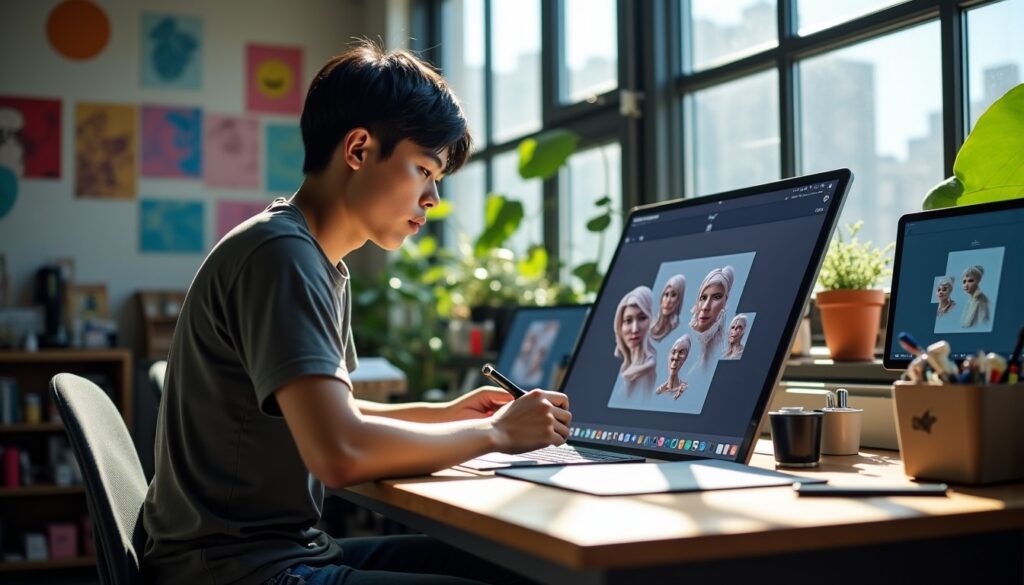
In the ever-evolving world of digital design, tools incorporating artificial intelligence are revolutionizing the way graphic designers and 3D modeling professionals create their works. The Artbox panel from Artspace.ai is now established as an essential solution for creating a 3D character with precision and customization never reached before. This customized workspace allows the combination of creativity and technical mastery, offering fine control over all 3D design parameters. Whether you are an experienced designer or a curious novice, this practical guide accompanies you step by step to facilitate your immersion into the exceptional world of character creation via the Artbox panel.
While traditional AI image generators often focus on producing static 2D illustrations, Artspace.ai takes a major leap forward with its highly customizable 3D modeling. Thanks to intuitive and powerful interfaces, creators can now carefully adjust anatomies, poses, and textures of their virtual characters in just a few clicks. The close integration between the initial textual description and control through the Artbox panel guarantees a highly refined 3D design, perfectly suited for professional uses in digital marketing, animated film, or video games. This guide reveals the keys to fully leveraging Artbox tools, boosting your productivity, and bringing custom digital avatars to life in a trendy and efficient environment.
- 1 The foundations of 3D character creation thanks to the Artbox panel from Artspace.ai
- 2 Detailed steps for successful 3D modeling with Artbox tools
- 3 Best practices for designing a 3D character at a professional level
- 4 Artspace.ai and the Artbox panel: power and flexibility for graphic designers
- 5 Unmatched functional richness thanks to more than 200 integrated tools
- 6 Final rendering optimization and advanced light management
- 7 Updates and sustainability: stability at the heart of advanced 3D design
- 8 How to optimize your productivity thanks to the 3D customization of the Artbox panel
- 9 Future challenges of character creation in 3D design with Artspace.ai
- 9.1 What skills are necessary to use the Artbox panel from Artspace.ai?
- 9.2 Can characters created be exported to other software?
- 9.3 How to optimize a prompt for successful 3D creation?
- 9.4 What is the difference between Artspace.ai and classic AI generators?
- 9.5 What is the economic model for Artspace.ai?
The foundations of 3D character creation thanks to the Artbox panel from Artspace.ai
Designing a 3D character with the Artbox panel from Artspace.ai marks a decisive step in the digital creation workflow. Unlike traditional image generators often limited to 2D, this dedicated panel incorporates specific modules covering the entire 3D modeling process, from textual description to high-definition final generation. The user starts by writing a clear and precise description of the overall appearance of their character. This textual base serves to create a virtual skeleton on which the system relies.
Next, the Artbox panel offers a range of options to be finely adjusted: poses, textures, angles, and perspectives can be freely modified via ergonomic interfaces. Each parameter can be refined in real time, bringing simplicity and flexibility in 3D customization. The management of reliefs and volumes allows achieving a faithful rendering to expectations, avoiding typical errors of automatically generated models — such as incorrect anatomical proportions or light aberrations. This method proves particularly effective for producing coherent visuals suited to complex projects, ranging from advertising to cinematic previsualization.
The Artbox panel is not limited to the mere visual aspect. It also integrates automatic colorimetry adjustment to harmonize the character with its environment. This feature thus prevents visual breaks caused by inappropriate lighting or discordant textures. The final phase consists of triggering shadow and reflection calculations by powerful servers based in the cloud. This guarantees optimal rendering quality, ready to be used for animations or other digital media, in a high-resolution format directly downloadable.
Detailed steps for successful 3D modeling with Artbox tools
To master character creation via the Artbox panel from Artspace.ai, it is essential to know in detail the technical pipeline. Complete 3D modeling operates in several phases that should be followed to optimize the final quality.
1. Definition of the initial concept by textual description
The first phase consists of providing a clear and structured description of the desired character. It is crucial to precisely explain the physical characteristics, expression, and clothing without entering a flood of contradictory information. A well-organized prompt facilitates the algorithm’s understanding and guarantees the generation of a solid base.
2. Activation of shape and posture adjustment modules
Once the basic structure is established, the panel offers several presets for posture, viewing angles, and perspectives. It is at this stage that you can play with body dynamics, choosing between a static or moving position, which directly influences the realism and expressiveness of your model.
3. Customization of textures and colors
Depending on needs, adjust textures to obtain natural skin, fabric, or metal rendering. The Artbox panel also manages global colorimetry automatically to seamlessly insert the character into a specific visual environment, avoiding any obvious artificiality in appearance.
4. Graphic validation and treatment of shadows/lights
In finalizing, the interface launches light and shadow calculations thanks to Artspace.ai’s remote servers. This automatic processing ensures a coherent rendering in 3D space, essential for projects requiring a high-level visual immersion.
This methodical sequence thus proves an efficient workflow that combines algorithmic power with the creative mastery offered by the Artbox panel. Better understood, this process optimizes visual production while avoiding typical errors of classic fully manual modeling approaches.
Best practices for designing a 3D character at a professional level
The quality of a 3D character creation relies on several crucial factors that every digital designer should know to work effectively with the Artbox panel.
Write a clear and structured prompt
The golden rule is clarity. An overloaded prompt, with contradictory or unnecessary adjectives, leads to inconsistencies in the rendering. It is necessary to favor simple and orderly language, detailing only the essential elements: materials, lighting, accessories. This principle allows the AI technology to precisely understand what is expected.
Ensure lighting and shadow coherence
For convincing realism, light sources must be consistent with the chosen pose and environment. For example, install a single main light corresponding to a natural or artificial source, and ensure that cast shadows follow the correct direction. This rigor prevents the “cutout” effect often observed when neglecting this step.
Provide precise geometric indications
Scale and proportion are fundamental. An exact proportional scale guarantees volume stability and avoids incongruous deformations during the final rendering. Do not hesitate to provide tangible references or a measurement system to help the algorithm model the correct dimensions.
Iterate and adjust via the Artbox panel
Working on a 3D character is an iterative process. The Artbox panel offers the possibility to quickly modify different parameters such as facial expressions, clothing folds, or texture intensity. This flexibility is essential to explore various creative directions before final validation.
List of main best practices:
- Always simplify the initial description and organize information methodically.
- Adopt lighting consistency in accordance with the environment.
- Ensure anatomical proportion accuracy with clear references.
- Use iteration tools from the panel to refine the rendering.
- Regularly check intermediate previews before exporting.
These practical tips make it possible to exploit the full potential of Artbox tools while avoiding frequent errors. The inevitable patience facing successive feedback thus constitutes an essential component for high-quality professional outputs.
Artspace.ai and the Artbox panel: power and flexibility for graphic designers
Artspace.ai asserts itself as a major platform offering a perfect synergy between artificial intelligence and human creativity. Its technological core materializes through the Artbox panel, a workspace integrating a large number of intuitive and accessible customization options.
The Artbox tools allow fine management of all visual details, whether it is skin grain, geometric contours, or contrasts. Thanks to easy-to-handle interactive dials, the user experience is greatly improved compared to classic text-prompt-based interfaces. This sophisticated ergonomics abolishes the complexity linked to handling cryptic commands and allows professionals to dive directly into 3D design.
Moreover, the technology ensures the stability of physical elements, notably within overlapping layers and anatomical zones. In case of repeated modifications, no visible degradation alters the overall quality. This system perfectly adapts to the diverse needs of the digital marketing sector, animation, or character development for video games, thus offering a versatile and robust solution.
Unmatched functional richness thanks to more than 200 integrated tools
What distinguishes Artspace.ai in the 3D design field is its complete ecosystem gathering more than two hundred targeted features. This broad palette covers all creation stages, from the initial concept to advanced retouching through very precise fine customization options.
The included tools are not limited to modeling itself. There are also powerful modules for generating personalized texts, as well as a highly immersive three-dimensional image generator. These features enrich visual storytelling and the interactive experience linked to each created 3D model.
One notable asset lies in the highly efficient local retouching capabilities. The intelligent erasing function allows, for example, to quickly remove an undesirable element from the model while automatically correcting the background thanks to a precise analysis of adjacent pixels. This process avoids using several heavy and complex software, greatly improving workflow fluidity.
Each integrated update brings ergonomic improvements that facilitate handling, even for less technical users. The whole becomes a true productivity lever and promotes unbridled creativity on demanding projects. Artspace.ai thus democratizes access to high-quality 3D character creation by offering an accessible and complete solution.
Final rendering optimization and advanced light management
The rendering of a 3D character is not limited to modeling volumes or selecting textures. Artspace.ai grants particular importance to managing light effects, whether it is lighting, cast shadows, or internal reflections on the model. Thanks to computing power and powerful cloud servers, the Artbox panel triggers photorealistic rendering based on data collected throughout the process.
Algorithms take into account the position of light sources, the nature of materials present on the character, and specificities of its immediate environment to create a coherent and immersive visual atmosphere. This meticulous work directly impacts the credibility and realism effect of the final 3D model, thus guaranteeing a quality that meets the requirements of the gaming, film, or advertising industries.
This technical sophistication also offers better integration of created characters into larger scenes, whether natural or urban environments. Adjusting the light balance at this stage is therefore essential to avoid any feeling of mismatch or artificiality, a crucial challenge in digital creation aimed at the general public or professional clients.
Updates and sustainability: stability at the heart of advanced 3D design
For several years, Artspace.ai has adopted a constant improvement strategy to remain at the forefront of 3D design innovations. Weekly updates bring fixes and new features, contrasting with some competitors who offer less frequent updates spread over longer periods. The Artbox panel thus benefits from significant scalability, allowing it to keep pace with the very changing market expectations.
A major strategic aspect lies in the company’s economic model, which offers a lifetime license accessible to professional creators. This approach removes costly monthly subscriptions that can hinder freelancers and small businesses. Instead, an initial investment provides unlimited access to all present and future tools, thereby reinforcing user confidence over the long term.
The robustness of Artspace.ai’s cloud infrastructure furthermore guarantees optimal service availability, even during peak demand. This technical reliability allows carrying out large-scale projects without fearing interruptions or slowdowns, an indispensable criterion for intensive productions in cinema or digital marketing.
| Criteria | Artspace.ai (Artbox Panel) | Classic competing tools |
|---|---|---|
| 3D Customization | Precise control via graphical interface | Often limited to text prompts |
| Integrated features | More than 200 advanced tools | Basic functions, few in number |
| Rendering management | Photorealistic rendering with cloud computation | Renderings often approximate or slow |
| Economic model | Advantageous lifetime license | Recurring monthly subscriptions |
| Accessibility | Intuitive interface, suitable for all | Requires advanced technical knowledge |
How to optimize your productivity thanks to the 3D customization of the Artbox panel
Beyond technical power, the Artbox panel plays a crucial role in optimizing production times. By adjusting parameter by parameter through an ergonomic interface, creators greatly reduce back-and-forth and laborious retouch phases. This targeted 3D customization makes simultaneous management of multiple characters or scenes easier.
Predefined presets are a significant asset to save time, especially for projects with tight deadlines. Several savable profiles allow creating reusable bases and accelerating variant derivations according to client needs. This strategy fits perfectly into agile methods adopted by most advanced design studios in 2026.
From a collaborative perspective, centralizing settings via the Artbox panel allows better coordination between graphic designers and art directors. Each modification is immediately visible and adjustable without needing to open multiple software. This fluidity in design reduces communication errors and speeds up project validation.
Future challenges of character creation in 3D design with Artspace.ai
With the constant increase in possibilities offered by artificial intelligences since 2020 and their deep integration into graphic tools in 2026, character creation continues to gain speed and precision. Artspace.ai, through its Artbox panel, represents a sustainable solution capable of supporting the rise of professional demands, especially in the entertainment and visual communication industry.
Future developments should include more features related to simulation of physical or emotional character interactions in real time, bringing an unprecedented level of augmented reality. Designers will be able to rely on predictive AI tools, anticipating modifications to be made based on trends or user feedback, making creation even more intuitive and interactive.
Moreover, collaborative methods will benefit from advances in cloud computing to allow simultaneous remote work sessions on the same 3D model. This digital shift will offer international teams increased flexibility and responsiveness, with refined production pipelines.
The marriage between algorithmic power, powerful Artbox tools, and human artistic direction preserves the creative dimension while fitting into a very advanced technical framework. This synergy promises to sustainably transform the 3D modeling and character design landscape, combining speed, customization, and visual excellence.
What skills are necessary to use the Artbox panel from Artspace.ai?
No advanced technical skills are required. The panel is designed to be intuitive, accessible to beginners as well as experts, thanks to its clear graphical interfaces and preset options. A good mastery of basic 3D design concepts remains, however, a plus.
Can characters created be exported to other software?
Yes, Artspace.ai allows exporting your 3D models in standard formats compatible with the majority of professional 3D suites, thus facilitating integration into your classic workflows.
How to optimize a prompt for successful 3D creation?
To obtain faithful rendering, it is necessary to write a clear, concise, and structured prompt, detailing essential elements such as textures, posture, lighting, and avoiding overloading the description with contradictory information.
What is the difference between Artspace.ai and classic AI generators?
Unlike traditional AI generators often limited to static 2D images, Artspace.ai offers a complete interactive 3D modeling solution with a customized control panel guaranteeing superior precision and realism.
What is the economic model for Artspace.ai?
The platform offers an advantageous lifetime license without monthly subscriptions, allowing unlimited access to all features and updates, which represents a cost-effective investment in the long term.




